Three situations
- Bins and fixings: never run out mid-job. Create a Group per bin ("Bin W-07, wood screws") and give consumables a critical level: screws 50, sandpaper 10, bits 4. Print a QR label for the bin. When you scan it you see the count; after a job, scan and subtract what you used. The list filtered to below-level items is your trip to the supplier.
- Who has the drill?. Add a custom field "Who has it" and a Tag "Borrowed" to tools. When the router leaves with an apprentice, set the field; when it comes back, clear it. Search "Borrowed" to see everything that is out.
- Service and warranty dates. Add custom fields for Serial number, Bought and Next service. Search or sort to see what is due this month. Keep the manual photo with the tool, and keep the receipt photo for the warranty.
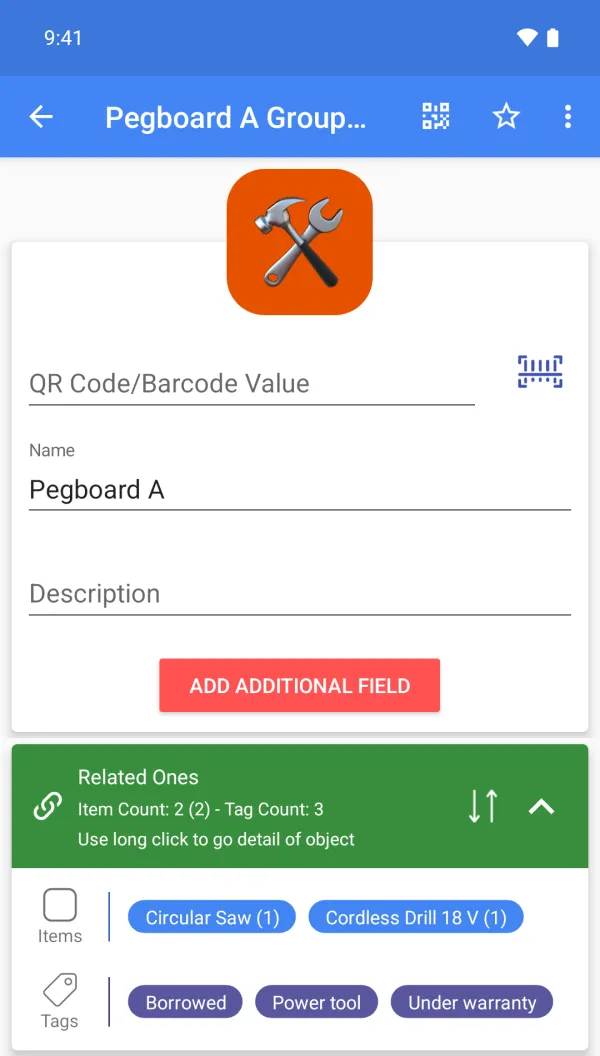
A sample setup
| Item | Group | Tags | Custom fields (Premium) | Qty |
|---|---|---|---|---|
| Cordless drill 18 V | Pegboard A | Under warranty, Borrowed | Serial DR-48213, Who has it Marco, Next service 2027-01 | 1 |
| Wood screws 4x40 | Bin W-07 | Consumable | Critical level 50 | 150 |
| Router bit set | Drawer 3 | - | Bought 2025-09 | 2 |
| Safety glasses | Shelf S1 | Consumable | Critical level 6 | 9 |
| Sandpaper 120 grit | Bin W-11 | Consumable | Critical level 10 | 24 |
Scanning, for this job
Scan the QR label on a bin or a pegboard to open it; scan a tool's own barcode if it has one. Labels are printed once and stay on the bin.
What it does not do
No purchase orders, no supplier ordering and no maintenance scheduling or reminders: the Next service field is something you check, not an alarm. Borrowed tools are tracked with a field or Tag you set up.
FAQ
Can I mark a tool as borrowed?
Yes: use a Tag or a custom field such as "Who has it" (Premium).
Does it warn me about low stock?
Items below their critical level are filtered in the list; email alerts need Premium.
Can I use my account on several devices?
Yes, one account can be signed in on several devices. Cloud backup is Premium; upload or download the cloud copy manually. There is no multi-user sharing or automatic two-way sync.
Is it free?
Free to start: items, groups, tags, photos and barcode or QR scanning and creation are free. Custom fields, cloud backup, the web app, CSV, Google Drive, quantity history with notes and email alerts are Premium. Plans and prices are shown on Google Play.