Three situations
- Moving: 40 boxes, one scan each. Before the move, create a Group per box ("Box 07, kitchen, fragile") and add what goes in. Print a QR label for each box and stick it on. At the new flat, scan a box and see the contents and the room it belongs to, so the movers put it in the right place and nothing is unpacked twice.
- Insurance: a list you can hand over. Walk through each room and add the valuable things with a photo, the serial number and the value as custom fields. One evening for ten rooms is realistic. If you ever need to make a claim, export the list to CSV or Google Drive (Premium) and ask your insurer which proof they need.
- Pantry: what is running low. Give staples a critical level (rice 2, olive oil 1). The list filters to what is below it, so the shopping list writes itself. With Premium you also get an email alert when something drops under the level.
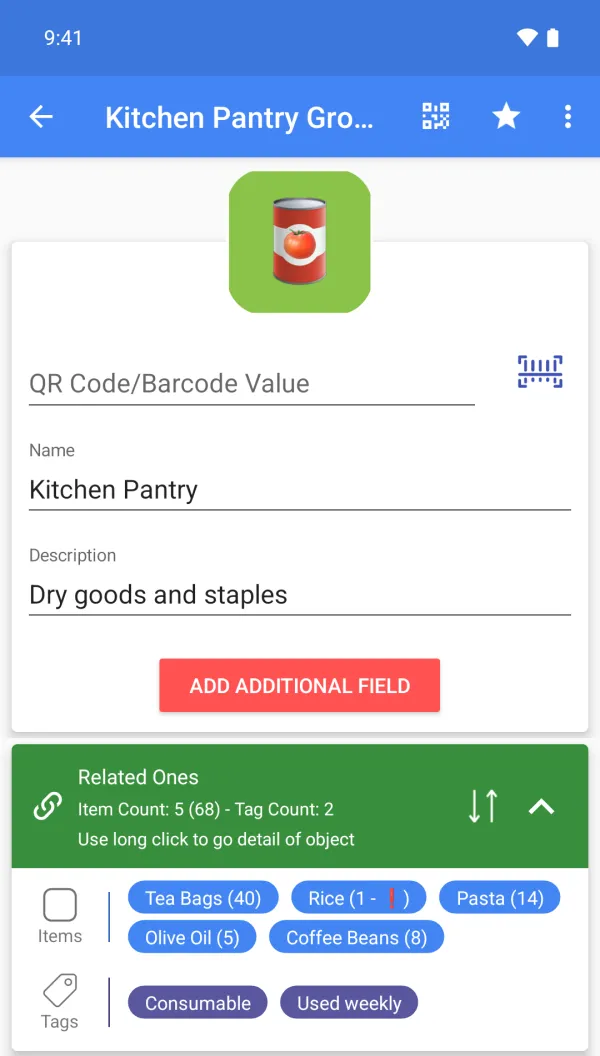
A sample setup
| Item | Group | Tags | Custom fields (Premium) | Qty |
|---|---|---|---|---|
| Laptop | Home Office | Under warranty | Serial C02XK41, Value 1200 | 1 |
| Espresso machine | Kitchen | Under warranty | Bought 2025-03, Shelf B | 1 |
| Winter coats | Box 07, Loft | Seasonal | Box 07 | 4 |
| Cordless drill | Garage | Under warranty | Serial DR-48213 | 1 |
| Rice 2 kg | Pantry | Consumable | Critical level 2 | 1 |
Scanning, for this job
Scan a box label to see its contents; scan a product barcode you saved before to jump to it. Scanning does not look products up online, so each thing is added once.
What it does not do
No automatic product lookup and no insurer integration. The app helps you collect the information; each insurer has its own rules for proof.
FAQ
Will my insurer accept the list?
Every insurer has its own rules. Ask which format and proof they need; the app gives you photos, serial numbers and values in one place.
What if I lose my phone?
Cloud backup (Premium) keeps a copy off the phone and opens it in the web app.
Can I use my account on several devices?
Yes, one account can be signed in on several devices. Cloud backup is Premium; upload or download the cloud copy manually. There is no multi-user sharing or automatic two-way sync.
Is it free?
Free to start: items, groups, tags, photos and barcode or QR scanning and creation are free. Custom fields, cloud backup, the web app, CSV, Google Drive, quantity history with notes and email alerts are Premium. Plans and prices are shown on Google Play.