Three situations
- Monday shelf count in Scanner Mode. Walk shelf A to D with the phone. Each scan of a product adds or subtracts one in Scanner Mode, so a shelf of 80 products is a few minutes. The new total is saved, and the old one is still in the quantity history (Premium).
- Reorder list from critical levels. Set a critical level per product: olive oil 6, pasta 10, tea 4. Filter the list to items below the level and you have the order list, sorted by the Tag you gave each supplier ("Delta Foods", "Lena's Bakery"). With Premium, an email alert tells you when a product drops under its level.
- Count the back room. Count stock on your phone and organize it by Group. Seasonal stock gets a Tag so Christmas items do not clutter the summer list.
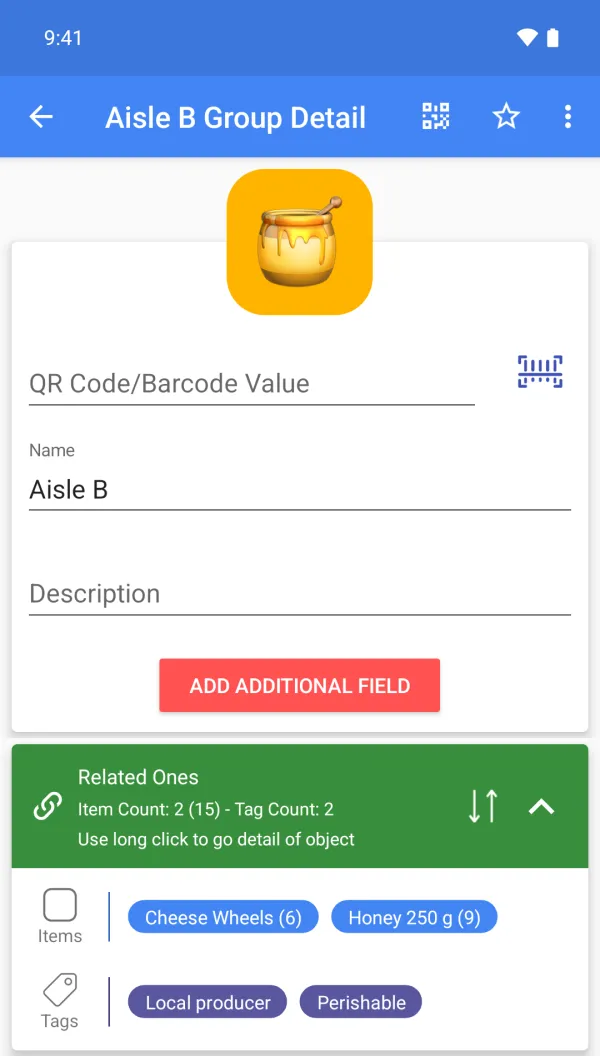
A sample setup
| Item | Group | Tags | Custom fields (Premium) | Qty |
|---|---|---|---|---|
| Olive oil 500 ml | Shelf A2 | Delta Foods, Consumable | SKU OL-500, Critical level 6 | 14 |
| Penne 500 g | Shelf A3 | Delta Foods | SKU PN-500, Critical level 10 | 22 |
| Honey 250 g | Shelf B1 | Local producer | SKU HN-250, Best before 2027-02 | 9 |
| Tea box | Back room | Seasonal | SKU TB-020, Critical level 4 | 3 |
| Candles, small | Shelf C4 | Seasonal | SKU CD-012 | 31 |
Scanning, for this job
Existing barcodes on the products are scanned as they are; for loose items you print one QR label and stick it on the shelf edge. The scanner opens the item you saved, not a product database.
What it does not do
It counts and organizes stock. It does not issue invoices, take payments or replace a point-of-sale system, and it does not place orders with suppliers.
FAQ
Can I import my existing product list?
Yes, from a CSV file (Premium).
Does it work offline in the back room?
The core app stores data on the phone; cloud backup needs a connection.
Can I use my account on several devices?
Yes, one account can be signed in on several devices. Cloud backup is Premium; upload or download the cloud copy manually. There is no multi-user sharing or automatic two-way sync.
Is it free?
Free to start: items, groups, tags, photos and barcode or QR scanning and creation are free. Custom fields, cloud backup, the web app, CSV, Google Drive, quantity history with notes and email alerts are Premium. Plans and prices are shown on Google Play.